Journal

Identidad: un relato

La oferta llegó como un mensaje privado en un foro que ya casi nadie usaba.

“Compro cuentas antiguas de cast.fm. Historial verificable. Pago por canción reproducida.”

Al principio pensó que era spam. Pero no era el único. En el mercado gris de identidades culturales, una cuenta con más de veinte años de historial musical era más valiosa que muchos de los dudosos perfiles financieros que podían comprarse para obtener un crédito.

Las plataformas de recomendación del 2041 habían convertido el gusto musical en una huella cognitiva estable: una forma de biometría blanda. Los algoritmos de contratación, seguros médicos y emparejamiento social valoraban la coherencia estética de una persona con la misma precisión con la que antes se analizaban los patrones de sueño o los hábitos de navegación web, uso de teléfonos…

Su cuenta tenía 497.112 temas reproducidos almacenados en los servidores de cast.fm.

Abierta en 2003. Migrada tres veces. Rescatada de dos bancarrotas de la empresa matriz.

Toda una vida registrada canción a canción.

El comprador pidió pruebas criptográficas de propiedad. Luego envió un contrato inteligente. El precio era absurdo y, sin embargo, exacto:

1 criptodólar por scrobble.

497.112 criptodólares.

Aceptó.

El proceso de transferencia fue quirúrgico. El comprador exigía acceso total: historial completo, listas de reproducción privadas, metadatos de escucha nocturna, registros de skip. También solicitó una exportación de los patrones de escucha pasiva recogidos por dispositivos IoT: altavoces, coches, relojes, incluso el viejo implante auditivo que había usado durante unos años.

Necesitamos coherencia narrativa, explicó el intermediario. No vendemos la cuenta. Vendemos la identidad.

El dinero llegó en menos de un minuto. Criptodólares regulados, trazabilidad limpia. Con esa cifra podía resolver más de un problema.

Durante dos días sintió alivio. Al tercero empezó a recibir notificaciones.

Primero, recomendaciones musicales que no eran suyas. Después, correos de servicios que no recordaba haber contratado. Luego, una denegación automática de acceso al transporte público: perfil cultural inconsistente con su historial biométrico.

Intentó entrar en su cuenta de correo. Bloqueada.
Intentó acceder al sistema sanitario. Error de identidad.
Intentó comprar comida. Rechazo por “anomalía de patrón conductual”.

El problema no era que hubiera vendido su cuenta.
El problema era que, en 2041, su cuenta era él.
Dramatic representation

El comprador había integrado los 497.112 canciones en un modelo de personalidad de alta fidelidad. Ese modelo ya estaba siendo usado para entrenar sistemas de recomendación de élite, asistentes ejecutivos y avatares sociales. Su identidad auditiva, refinada durante dos décadas, se había convertido en una plantilla premium.

Y la plantilla ahora pertenecía a otro.

Los sistemas de verificación cruzada detectaron la discrepancia: el cuerpo seguía siendo el mismo, pero el rastro cultural había sido transferido legalmente. Sin ese rastro, su perfil social se degradó. Los algoritmos no sabían quién era. Peor: sabían quién no era.

El comprador empezó a usar la cuenta públicamente.
Nuevas canciones.
Nuevos patrones.
Nuevas decisiones.

Poco a poco, la plantilla se alejó de su comportamiento real. Las IA de perfilado concluyeron que él era una copia defectuosa del original. Un clon cultural de baja calidad.

Una semana después, recibió una notificación final del Registro de Identidades Sintéticas:

“Su coherencia histórica es insuficiente. Perfil degradado a ciudadano no verificable.”

Intentó contactar con el comprador. Sin respuesta.
Intentó recomprar la cuenta. El precio ahora era diez dólares por canción.

Casi cinco millones.

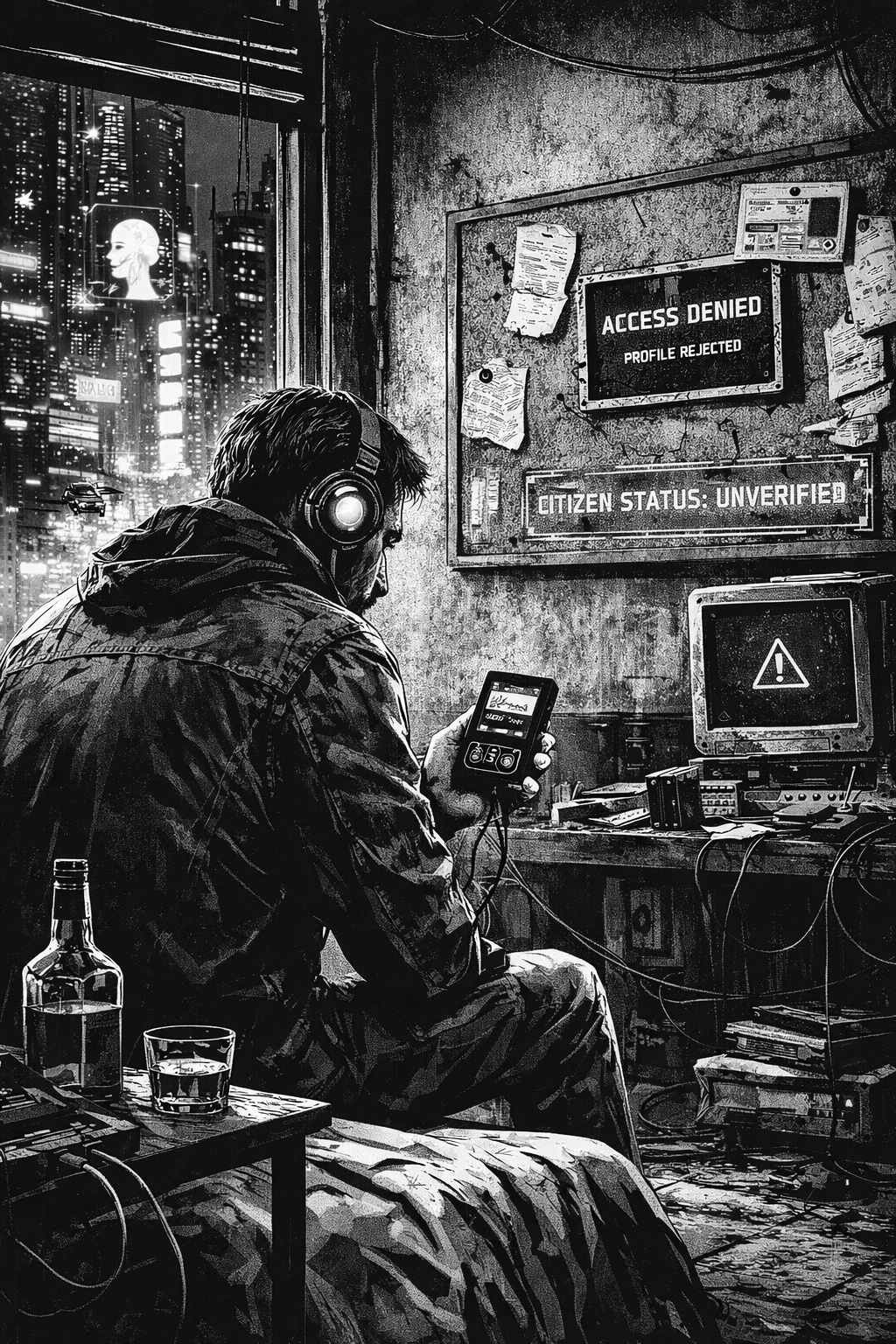
La última noche, sentado en su apartamento sin acceso a servicios básicos, abrió un reproductor local, desconectado de la red. Reprodujo una canción que había escuchado por primera vez en 2004. No quedó registrada en ninguna parte. Ningún sistema la contó. Ningún algoritmo la asoció a su nombre.

Por primera vez en veinte años, escuchó música sin dejar rastro.

Y se dio cuenta de que ya no existía.

“La identidad es el conjunto de las cosas que recordamos haber hecho.” - Norbert Wiener

Postmortem: ClickHouse Eating My VPS Alive

Severity: Service degradation, near-total resource exhaustion

Status: Resolved

GG

Summary

A self-hosted Plausible Analytics instance running on a 4GB RAM VPS became nearly unusable. ClickHouse, the events database backing Plausible, was consuming ~2.14GB of RAM and 197% CPU, basically the entire machine. The root causes were twofold: default ClickHouse configuration with no memory caps, and bloated internal system logs triggering constant background merges.

Impact

The VPS hosts other small projects. With ClickHouse consuming over half the available RAM and pinning both CPU cores, everything else on the machine suffered. Plausible was sluggish, and potential OOM kills cascading across services waiting to happen.

Timeline

  1. Detection: Noticed degraded performance across the VPS. Ran docker stats and saw ClickHouse at 197% CPU / 2.14GB RAM. As previous graph shows, the problem was slowly cooking for more than a couple of weeks, but I didn’t notice until a few days ago when accesing to the vps panel.
  2. First hypothesis - no memory cap: Checked ClickHouse settings via clickhouse-client and confirmed max_memory_usage was 0 (unlimited). The config file I had mounted wasn’t being loaded.
  3. Config investigation: Discovered that several XML config files (including Plausible’s own low-resources.xml) had been mounted as directories instead of files - a classic Docker volume gotcha. When the local files don’t exist at first docker compose up, Docker creates directories as mount targets instead.
  4. Applied memory limits: Created properly split config files - server-level settings in config.d/ and user-level profile overrides in users.d/. Restarted. RAM usage capped successfully.
  5. CPU still spiking: Even with memory under control, CPU remained high. Queried system.merges and found the culprit.
  6. The real villain - system.metric_log: ClickHouse was running 11 simultaneous merge operations, all on system.metric_log - its own internal telemetry table. Hundreds of thousands of parts had accumulated, and ClickHouse was burning every available cycle trying to compact them.
  7. Resolution: Truncated the bloated system tables, disabled all internal system logs via config (<metric_log remove="remove"/> etc.), and limited background merge threads to 1. CPU dropped to 3-4% with occasional peaks to 20%.

Root Causes

1. Docker volume mount gotcha

When files referenced in docker-compose.yml volumes don’t exist locally at first startup, Docker creates directories instead of files. This silently broke Plausible’s bundled low-resources.xml, logs.xml, and ipv4-only.xml configs - meaning ClickHouse ran with full defaults on a 4GB machine.

2. No memory ceiling

ClickHouse’s default mark_cache_size is 5GB. On a 4GB VPS. With no max_server_memory_usage set, ClickHouse will happily claim whatever the OS gives it.

3. Internal telemetry

By default, ClickHouse logs its own metrics, queries, traces, and part operations into system tables. On a small instance that’s been running for a while, these tables accumulate enormous numbers of parts. The background merge process then works overtime trying to compact them - a self-inflicted wound where the monitoring system consumes more resources than the actual workload.

What Fixed It

Memory - config.d/server-config.xml:

<clickhouse>
    <max_server_memory_usage>1500000000</max_server_memory_usage>
    <mark_cache_size>268435456</mark_cache_size>
    <uncompressed_cache_size>0</uncompressed_cache_size>
    <merge_tree>
        <max_bytes_to_merge_at_max_space_in_pool>536870912</max_bytes_to_merge_at_max_space_in_pool>
    </merge_tree>
</clickhouse>

Per-query limits - users.d/user-overrides.xml:

<clickhouse>
    <profiles>
        <default>
            <max_memory_usage>400000000</max_memory_usage>
            <max_bytes_before_external_group_by>200000000</max_bytes_before_external_group_by>
        </default>
    </profiles>
</clickhouse>

CPU - disable system logs and throttle merges:

<clickhouse>
    <background_pool_size>1</background_pool_size>
    <background_merges_mutations_concurrency_ratio>1</background_merges_mutations_concurrency_ratio>
    <background_schedule_pool_size>1</background_schedule_pool_size>
    <background_common_pool_size>1</background_common_pool_size>

    <metric_log remove="remove"/>
    <query_log remove="remove"/>
    <query_thread_log remove="remove"/>
    <query_views_log remove="remove"/>
    <part_log remove="remove"/>
    <trace_log remove="remove"/>
    <text_log remove="remove"/>
    <asynchronous_metric_log remove="remove"/>
    <session_log remove="remove"/>
    <opentelemetry_span_log remove="remove"/>
</clickhouse>

And truncating the existing bloated tables:

docker exec -it <container> clickhouse-client --query "TRUNCATE TABLE IF EXISTS system.metric_log"
docker exec -it <container> clickhouse-client --query "TRUNCATE TABLE IF EXISTS system.query_log"
docker exec -it <container> clickhouse-client --query "TRUNCATE TABLE IF EXISTS system.trace_log"
docker exec -it <container> clickhouse-client --query "TRUNCATE TABLE IF EXISTS system.part_log"

Result

Metric Before After
CPU 197% 3-4%
RAM 2.14 GB ~1.2 GB
VPS mood Suffering Chillin’

No upgrade to 8GB needed.

Lessons Learned

  1. Always verify your config is loaded. Mounting a file and assuming it works is not the same thing. Query the running system to confirm.
  2. Docker creates directories for missing mount sources. If you docker compose up before the config files exist locally, you get silent failures. Always create the files first, or clone the repo properly before starting services.
  3. ClickHouse defaults assume beefy hardware. From my side, I wrongly assumed cheap-hardware friendly defaults.
  4. Internal telemetry can be the biggest resource hog. For a low-traffic personal analytics instance, ClickHouse was spending more resources monitoring itself than serving actual queries. Disable what you don’t need.
  5. Diagnose before you scale. The instinct was to upgrade to 8GB. The actual fix was configuration. The cheapest infrastructure change is often no infrastructure change at all.

Six and a half units of time

Yo, back to journaling. I need to write this down before I forget what it felt like.

As everyone else in this rat race, in the last six weeks I shipped more than I could imagine a couple of years ago. Ten projects across five languages, one of them involving actual hardware on my desk. I was assisted by AI in all of them, and I’ve spent some time wrestling with what that means for my future self. I’ll get to that. Enjoy the memes. But first, the inventory.

What I built

O days

  • Dustrown - A dead simple Markdown viewer with a real GUI, written in Rust. The goal wasn’t the app itself but understanding how to build a native GUI application in Rust. But the initial motivation, and that’s why I am also proudly using it for reading .md files now, was exactly that: I wanted a simple enough application to render Markdown files with a Github style in my Linux desktop. I got there.

  • EMT Bus RTT - A webapp with a map showing real-time bus arrival information for Madrid’s public network. This one was a stepping stone: I want to build something like this transit tracker, but I needed a reliable system to pull transit data first. This is that system. In the meantime, I build and deployed a frontend app on top of it to use it through a browser: https://emt.hal9.xyz/

  • Ferrum (private repo) - AI-powered iron tracking for people managing anemia. Take a photo of a meal, get an iron content estimate. Built in Rails. The real goal was exploring AI-based flows for extracting structured information from unstructured input; food habits were an interesting domain to do that. Latest version ships features to also extract more nutrients and calories from the food.

  • Musync (private) — A single-binary music library organizer written in Go. It classifies albums into genres and subgenres, then reorganizes them into a clean Genre/Subgenre/Artist/Album (Year)/ folder structure. I have a massive collection. Now it’s organized.

  • Hackbox - A privacy-first website with simple tools for mundane developer tasks: timestamp conversion, UUID generation, base64 encoding, and so on. Built it because I happen to visit old sites for these tasks and they were drowning in tracking and cookies. Zero analytics, zero data collection. Simple but useful.

  • Harvest - A compact idle simulation game in JavaScript. My first game. Idle games are simple enough to design that they’re a good entry point - the mechanics are constrained and the feedback loop is clear. I wanted to understand what building a game actually felt like.

  • cpu-ruststats - Two small Rust binaries for monitoring CPU usage and system temperatures, with ASCII sparklines and warning/critical thresholds. Designed to plug into i3blocks/i3status. I claimed it “vibe coded” in the README because I had zero Rust experience going in - but it works, it has proper CLI flags, and it lives in my status bar. Counts as shipped.

  • journal-rb - A minimal static site generator that converts Markdown posts to HTML. Yes, Jekyll exists. I wanted something completely tailored to my needs. You’re reading a post generated by it right now.

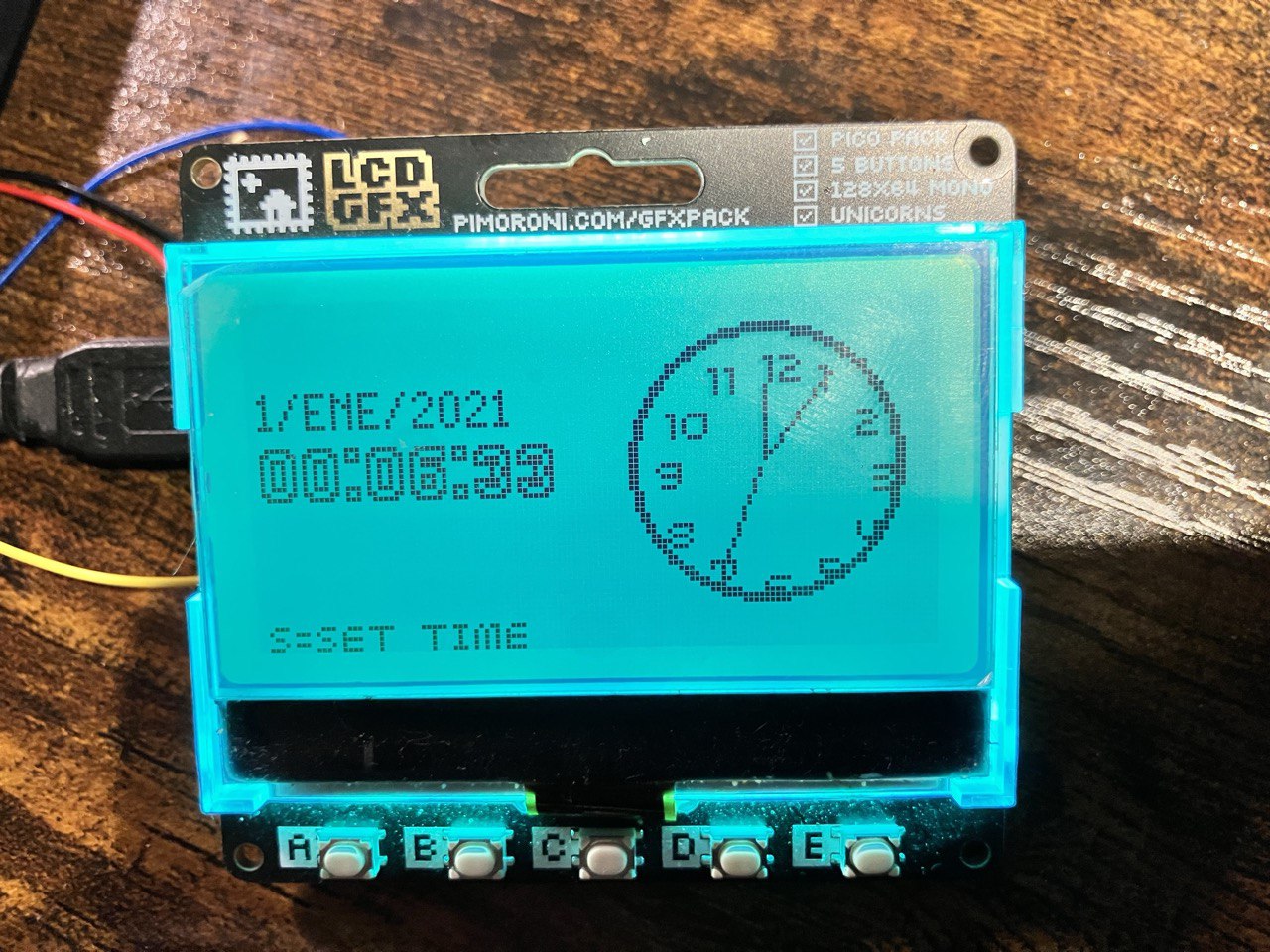
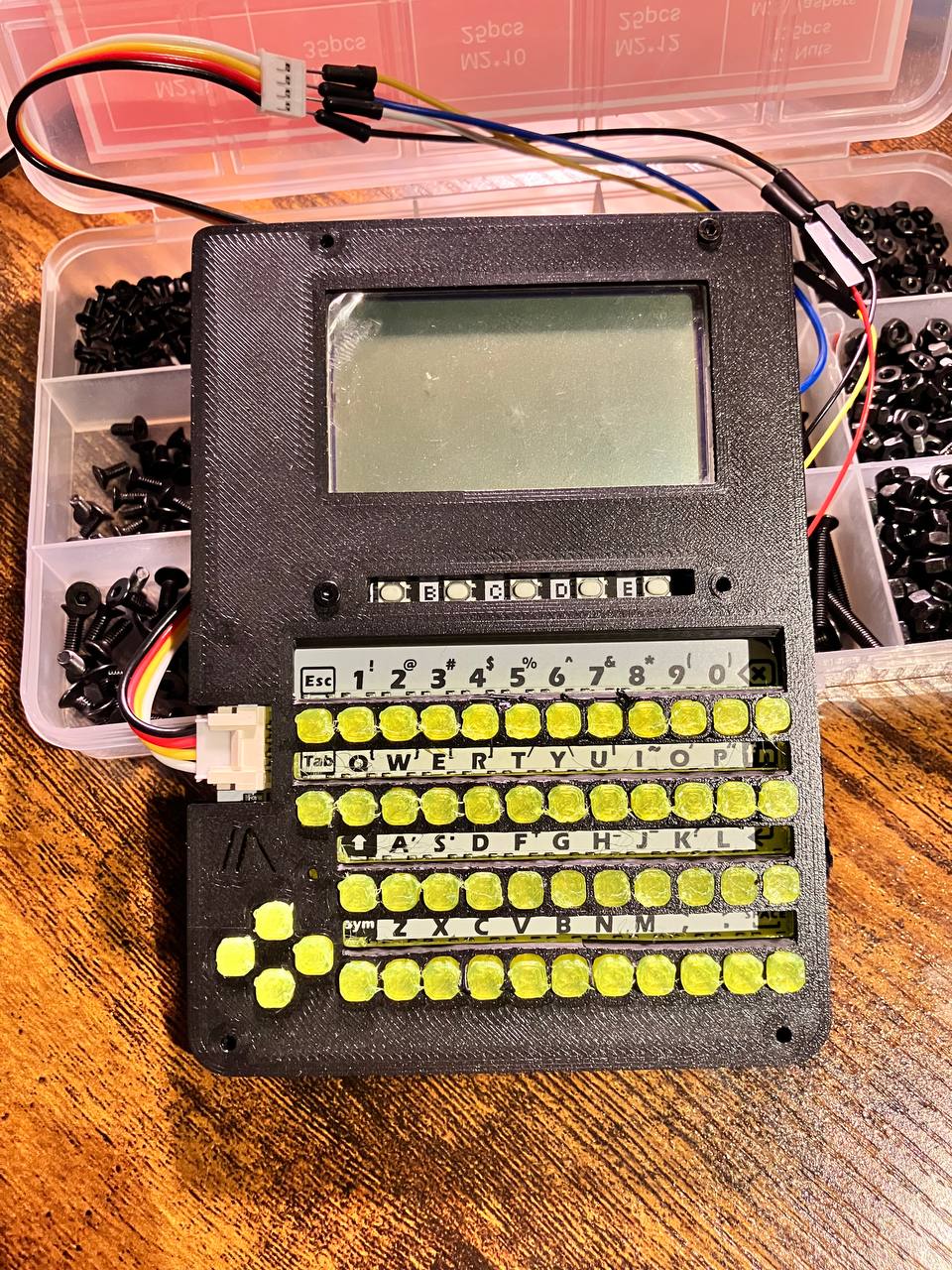
  • retro-digital-diary-lcd - MicroPython software to control a custom digital diary built on a Raspberry Pi Pico with a 128x64 LCD display and a CardKB mini keyboard. Inspired by the Casio agendas I loved as a kid. I also designed and printed a 3D enclosure for it. It’s sitting on my desk, it works, and it’s incomplete. Easily my most personal project of the batch.

The unfinished one

Started, learned something, moved on.

Why so much, why now (or why I need to write this)

The AI gap is real and it’s widening quick. The honest answer is that I could not have done this at this pace without it. Rust GUI, Go binaries, Rails AI flows, MicroPython on constrained hardware; I was navigating through kinda unfamaliar waters in some projects, and AI shrunk the learning curve, skipped the empty slate moment for everything. It wasn’t easy tho.

I want to be precise about what that means, because I spent some time asking what is my role, or what will be my role with all this power.

AI scaffolded a lot of boilerplate. It suggested patterns. Assisted my chaotic curiosity. It helped me move fast through the parts that are tedious to write but easy to verify and reliable to delegate. I don’t claim (God forbid me) to know how to program using Rust by doing that, but it’s clear that it is helping me to expand my areas of interest, lowering the barrier entry for those like me. And, for someone like me, it’s an amazing experience. I am also not oblivious to the risks of those empowering feelings. What it couldn’t do was tell me what to build, or why. It couldn’t decide that I needed a reliable data layer before building the transit tracker, based on Madrid current availability. It couldn’t know how I wanted a Casio agenda. It couldn’t catch the MicroPython-specific memory constraints on the Pico, where the training data gets thin fast and real debugging takes over (althought this last thing won’t last too much)

At this point, I stop and think. The judgment and curiosity is mine, reasonably gained through more than 12 years of experience in the field. The ten different itches that produced ten different projects, that’s not something you can simply prompt and wait to happen.

One does not
ahh, the classic memes

What I learned (a frivolous list, but tried to keep it simple)

  • Rust is worth it. The learning curve is there, but the mental model it forces is valuable even when I’m not writing Rust, and enjoy this payoff. But please, don’t take me too seriously.

  • Go for binaries. Musync needed to be a single binary that just worked and was faster than Python, because of the volume of the data. Go was the right call and efficient for file manipulation.

  • Build your dev tooling first. The simulator I built for the retro diary (run the whole thing on a PC with SIM=1 python3 main.py) saved enormous time. Hardware feedback loops are slow; abstracting them away early was the right move.

  • Nostalgia is a interesting (but also hackneyed) starting point. Some of my most focused work came from chasing a feeling rather than solving a defined problem. Still, hey, it works for me.

  • Idle games are harder to balance than they look. The mechanics are simple but the feedback loops require more thought than I expected.

What’s next

The retro diary needs more software work before the enclosure redesign makes sense. EMT Bus RTT needs to become the actual transit tracker I had in mind. Ferrum and Musync are private but both functional enough to use.

And I need to write proper journal entries for all of these. Which is exactly what I’m doing.

AI sentiments: Linkdump I

Videojuegos y bandas sonoras de 8 y 16 bits

Aún recuerdo ese verano. Tenía 13 años, y alquilé un video juego con un amigo para la SEGA Megadrive que quedaría impreso en mi memoria (de hecho, aun recuerdo alguno de los cheat codes :-)).

El juego del que hablo es “Asterix y Obelix: El gran rescate”. No por el juego en sí, que a pesar de ser divertido, era bastante mediocre para la época, sino porque su banda sonora era muy elaborada, dinámica, y ganaba protagonismo sobre la acción del juego, cosa tampoco demasiado común, donde en general las bandas sonoras de 16 bits se acababan por hacer algo repetitivas tras unas cuantas horas de juego.

Watch on YouTube

Con 12 o 13 años, no estaba muy puesto en compositores musicales, tampoco me cuestionaba asuntos relativos al juego, mucho más allá de cómo pasarme el nivel, pero gracias a una escucha adulta posterior, me he dado cuenta que la calidad de esta obra no es casualidad. Nathan McCree era la persona detrás de esta elaborada composición (luego vendrían cosas como Tomb Raider). Pero aún así, me pregunto: con las limitaciones de los medios de la época, ¿cómo fue posible alcanzar ese nivel de sofisticación?

Por su puesto, me estoy refiriendo a usar un chip como instrumento, y una interfaz de texto como entrada, para alguien, que incluso siendo compositor musical, tuviera unas restricciones tan marcadas. Otro claro ejemplo de esta asimetría, y que me recordó un amigo el otro día, es “Monty on the Run”, con un Rob Hubbard quasi barroco:

Watch on YouTube

En el caso de Megadrive el chip era el YM2612, fabricado por Yamaha. Lo curioso de este procesador: limitado en cuanto a reproducción de samples de audio:

While high-end chips in the OPN series have dedicated ADPCM channels for playing sampled audio (e.g. YM2608 and YM2610), the YM2612 does not. However, its sixth channel can act as a basic PCM channel by means of the ‘DAC Enable’ register, disabling FM output for that channel but allowing it to play 8-bit pulse-code modulation sound samples.

y además había que controlar la frecuencia y el buffering en proceso principal:

Unlike other OPN chips with ADPCM support, the YM2612 does not provide any timing or buffering of samples, so all frequency control and buffering must be done in software by the host processor.

Para el caso del Commodore, el Sound Interface Device: SID

The majority of games produced for the Commodore 64 made use of the SID chip, with sounds ranging from simple clicks and beeps to complex musical extravaganzas or even entire digital audio tracks. Due to the technical mastery required to implement music on the chip, and its versatile features compared to other sound chips of the era, composers for the Commodore 64 have described the SID as a musical instrument in its own right.[15] Most software did not use the full capabilities of SID, however, because the incorrect published specifications caused programmers to only use well-documented functionality. Some early software, by contrast, relied on the specifications, resulting in inaudible sound effects

Maldita sea, parece que en vez de componer, luchaban contra el instrumento. De alguna forma, esa limitación técnica (oh sorpresa!) dio lugar a decisiones brillantes.

La solución más evidente al oído es el uso intensivo de arpegios rápidos. ¿Que no podemos hacer acordes? No problemo, se simulan descomponiéndolos en sucesiones de notas individuales tocadas muy rápido. El oído humano hace el resto. En chips como el SID del Commodore 64, con solo tres voces disponibles, esta técnica permitía componer armonías complejas, con bajos y melodías simultáneamente.

Rob Hubbard fue un maestro en este arte. Monty on the Run no suena como un simple tema pegadizo: suena exuberante, casi excesivo me atrevería a decir, como si el chip estuviera a punto de explotar. Y, en cierto modo, lo estaba:

  • Sonidos que aparecen y desaparecen en milisegundos
  • Timbres que mutan mientras la nota sigue sonando
  • Una polifonía aparente casi imposible

Y mirando las rutinas musicales desensambladas, vemos:

  • Rutinas de interrupción extremadamente ajustadas
  • Cambios de registros del SID dentro del mismo frame
  • Uso deliberado de valores ilegales o mal documentados
  • Escritura en registros en momentos muy concretos del raster

Nathan McCree jugó una partida distinta pero igual de interesante en el caso de la Megadrive.

El YM2612, con la síntesis FM, permitía timbres más ricos que los PSG clásicos, pero imponía otra clase de “desventaja” (que en realidad no lo era): sonidos metálicos, bajos difíciles de controlar, y un DAC rudimentario. Aun así, McCree consiguió una banda sonora con estructura, leitmotivs y desarrollo, algo poco habitual en juegos de acción de la época.

Aquí aparece otro truco, creo, fascinante: usar el canal DAC no como un sampler tradicional, sino como textura para la percusión y el bajo. Los timbres, los golpes metálicos, casi “sucios”, cosas que hoy llamaríamos glitches, pero que entonces eran el resultado de empujar el chip más allá para llegar a imitar un sonido concreto. Ese ruido, casi analógico, le daba el carácter único.

Watch on YouTube

Otros compositores siguieron caminos similares. Yuzo Koshiro, por ejemplo, en Streets of Rage, llevó el YM2612 a territorios casi underground, inspirándose en el house y techno de los 90’s, con patrones rítmicos que disimulaban las limitaciones del chip mediante la repetición hipnótica de melodías muy pegadizas.

Watch on YouTube

Y Tim Follin, por su parte, parecía directamente ignorar las reglas: sus composiciones para NES, Commodore o Spectrum sonaban imposibles, con esas escalas rápidas, modulaciones extremas y cambios de dinámica que ahora me hacen preguntarme si realmente salía de ese chip:

Watch on YouTube

Y aquí es donde la asimetría se vuelve evidente: juegos modestos, incluso mediocres, sostenidos por obras musicales que los superaban. Como si alguien hubiera colgado un cuadro de un pintor flamenco en el salón de un piso de estudiantes.

Con el paso del tiempo, pienso que muchas de estas bandas sonoras han sobrevivido mejor que los propios juegos. Se reinterpretan en conciertos, se versionan, se analizan en vídeos técnicos:

Watch on YouTube

Quizá porque, en el fondo, no eran solo música funcional: eran demostraciones de ingenio humano frente a la escasez. Arte nacido de la restricción.

Y tal vez por eso siguen fascinándonos. Porque nos recuerdan que la creatividad no florece cuando todo es posible, sino cuando casi nada lo es. Y digo esto habiendo usado IA en este largo ensayo. Que de otro modo, jamás hubiera escrito. What a time to be alive!

Look ma, I'm using Emacs!

Lately I’ve been testing Emacs. It started as a curiosity: wanting an console environment I can hack in, where the editor becomes more than a text box with plugins. Lisp has been on the back of my mind for a while, and I’ve been comfortable for years with modal editors, shells and tiling window managers. I’m not sure yet whether it will become my daily driver, but it’s definitely a tool I’m enjoying using (although my fingers don’t like it yet).

I didn’t want to fall into the trap of adopting someone else’s megaconfiguration or adding so called “starter kits”. I started small:

  • A plain Emacs setup, only enabling what I needed as I needed it.
  • Org mode, because everyone warns you it’s a rabbit hole, they’re right.
  • Aesthetic tweaks kept to a minimum. I didn’t want the editor to look pretty before I understood how it worked.

From there, I incrementally added layers. The first moment of epiphany? came when I understood the difference between configuring and programming. Configuring Emacs is trivial, or so they say lol. But programming it, bending it to my workflow and absurd ideas like making everything a buffer, that’s where the magic happens.

I’ve been especially interested in using Emacs as a kind of command center: editing files, interacting with terminals, outlining ideas for upcoming projects, and making everything a buffer, because BUFFERS!!!!!!!! HAHAHA.

And of course, I printed this GNU/Emacs Reference Card

A few observations from these experiments:

  • Emacs rewards slow buildup. No big ambitions here, just a few small steps at a time. The moment you try to import a giant config is the moment you stop learning it. I tried spacemacs and in the end I just wanted to build my own config from scratch.
  • Lisp clicks eventually. My background in lots of languages helped, but there was still a threshold moment where Emacs Lisp stopped feeling alien.
  • The editor becomes an environment. Using it to write notes, agenda, todos, browse directories, manage Git, and navigate code from one system has a certain appeal. It is good that also the mouse can be used to navigate when your fingers are tired.
  • Muscle memory fights back. Non-continous periods of heavy use of Vim bindings don’t disappear fast. I’m still evaluating whether I want to go full Evil mode or keep Emacs native. However, tmux muscle memory helps a bit.

None of this is final. I don’t know yet whether Emacs will end up being my daily IDE or a specialized tool for writing, planning and experimentation. But I believe that it has a quality I’ve been missing: it pushes me to think differently about the tools I use and to build systems that match how I think, not the other way around.

The terminal of the future or don't call it a terminal

This HN thread caught my attention: The terminal of the future, and made me think about the concept of a piece of software.

This isn’t the first time I encounter this kind of discussion around the same essential topic: where to draw the line between maintaining a piece of software and pushing new features, versus adding only critical updates because that piece of software is self-contained and complete.

The *nix philosophy made this decision easy: since your goal is just one, you can easily delimit what’s needed and what’s not. Thus, what is not needed is part of another piece of software. Obviously, this is not always the case, and nowadays the industry pushes for a paradigm where constant updates and new features are the justification to keep charging a monthly fee. Not exactly a piece of software anymore, but a product: even absurd pivots, like Spotify going TikTok-like, are becoming more common. Current industry trend is trapped into this loop: a stalled product loses value over time, and the only way to keep it alive is to keep adding new features. That logic is not technical – it’s a business model.

But the terminal? It’s a historical contract between a user and a computer: a basic operating system abstraction. And the ideas behind it are rock solid: they’ve endured the test of time after more than 50 years. It does not need a fancy UI. Yes, it inherits from an old VT100 that does not support many features we take for granted in modern software. But again, the overhead of adding the list of features the author proposes would make it a completely different piece of software. Do not call it a terminal.

Two months into 3D printing

It has been a little over two months since I brought a 3D printer (Creality K1 V2) into the house, and I’m finally starting to understand why so many people describe this hobby as a quiet form of engineering meditation. I had my reservations and doubts about 3D printing, because I’ve experienced it some years ago – the state of the art was far from where it is now. But it has gradually turned into a small lab of experiments, prototypes, failed prints, calibrations, and useful items that now live in different places of the house. And this is my best friend now:

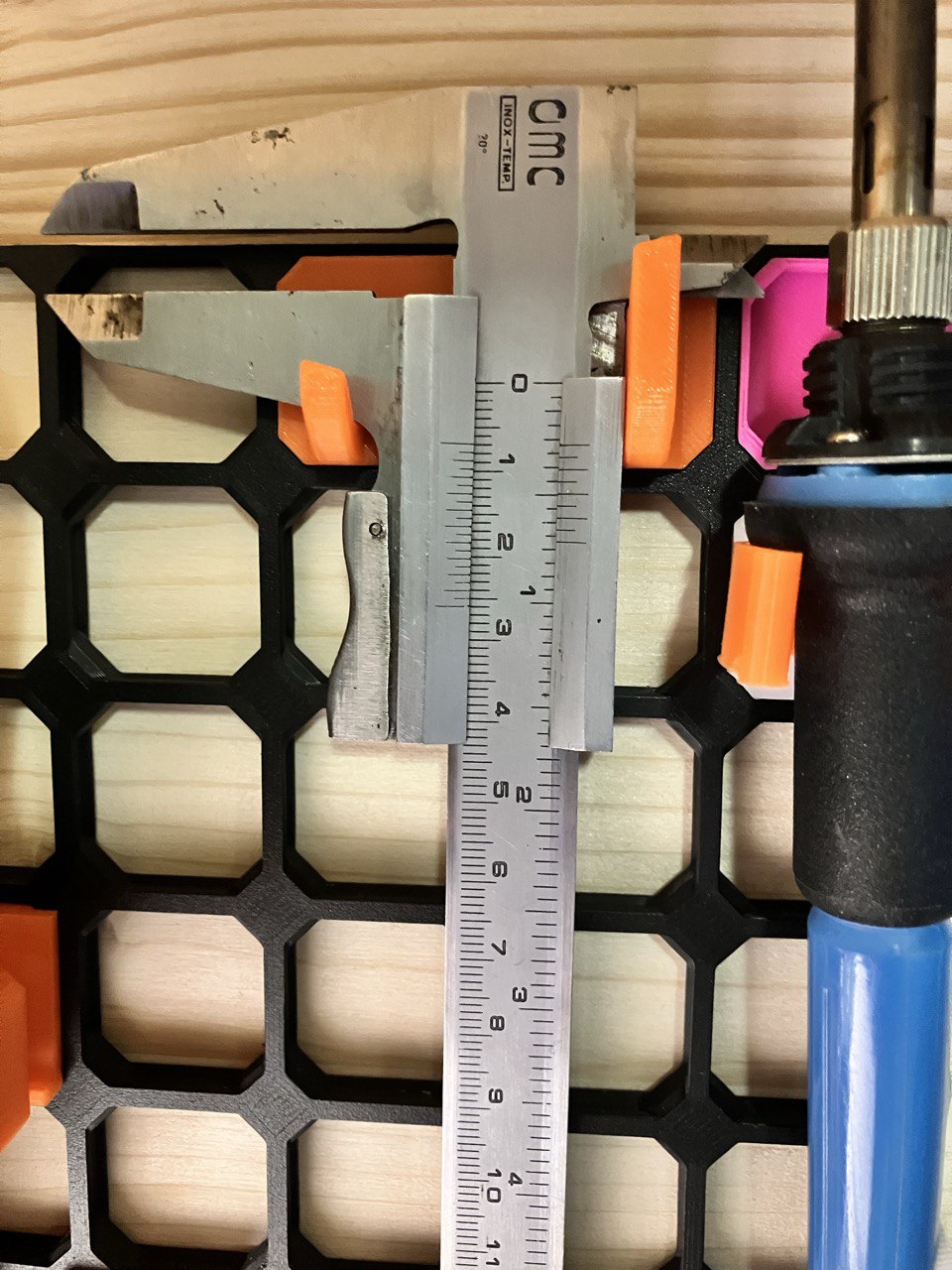
My old caliper

Learning the tools: slicers, settings, and first principles

My first weeks were about selecting the right slicer.

Some offered ultra-detailed control at the cost of complexity. PrusaSlicer is a good example of this. A bit complex for my needs: I installed it at first because I had no idea what I was doing, but I quickly realized I don’t need all that complexity. I finally stick with OrcaSlicer (hat tip to my friend Dugi), because it’s a bit more user-friendly and has a lot of presets for different printers.

Anyways, I had kind of trouble to select the right profile for my printer (looks like there are differences of product naming also between Europe and USA).

Materials: a first taste of the filament world

For now, I’ve stayed in the safe zone with PLA and went a bit further with TPU (which by the way caused my nozzle to clog. I panicked, for a while, but I was able to fix it just tearing apart the plastic tube and bearing it with a pair of pliers).

This guy was extremly useful: https://www.youtube.com/watch?v=weeG9yOp3i4

  • PLA has been my reliable material to print, predictable, I’d dare to say almost boring in the best possible way.

  • TPU pushed my printer a bit more. Flexible filament is a different topic: slower speeds, gentler retraction, a little bit of art. Don’t apply too much temperature to the bed, or the print will be too soft. I use it for the keyboard caps in the LCD prototype (see A prototype with LCD GFX and M5Stack keyboard).

  • I still haven’t tested PETG, but it’s next on my list. I want something stronger and more temperature-resistant for outdoor items and functional prints. PLA is nice until you drop it on the floor.

Glue? No thanks!

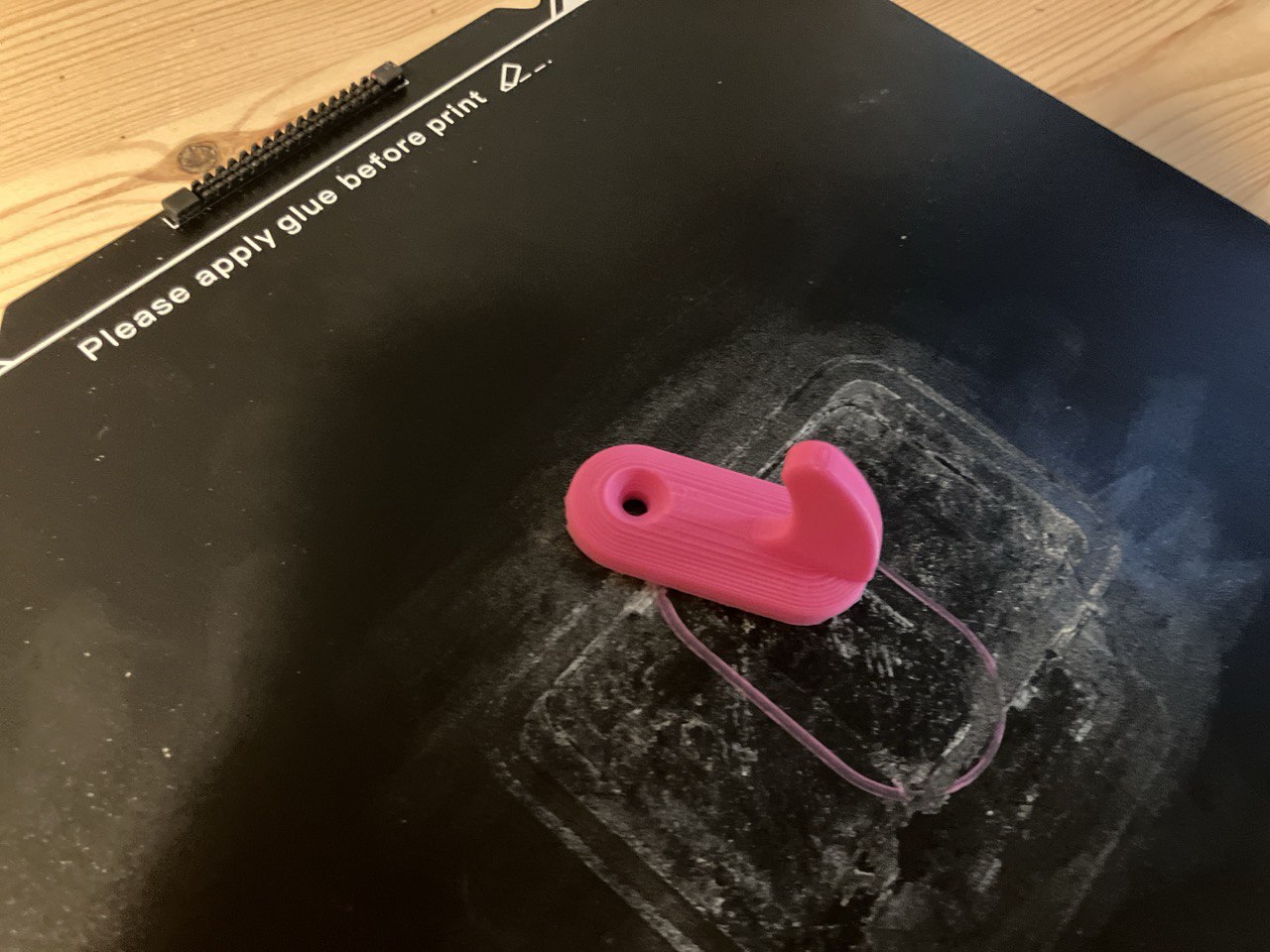
For the first weeks, I was applying glue to the bed, as recommended by the notice in the bed. But this is not really needed when you can adjust the bed to the recommended temperature for the filament you’re using. And if it is something small, you can add rafts to the print to help it stick to the bed. I’m not sure why this is not the default behavior.

Glue with hook

Useful things: Building a workspace that works

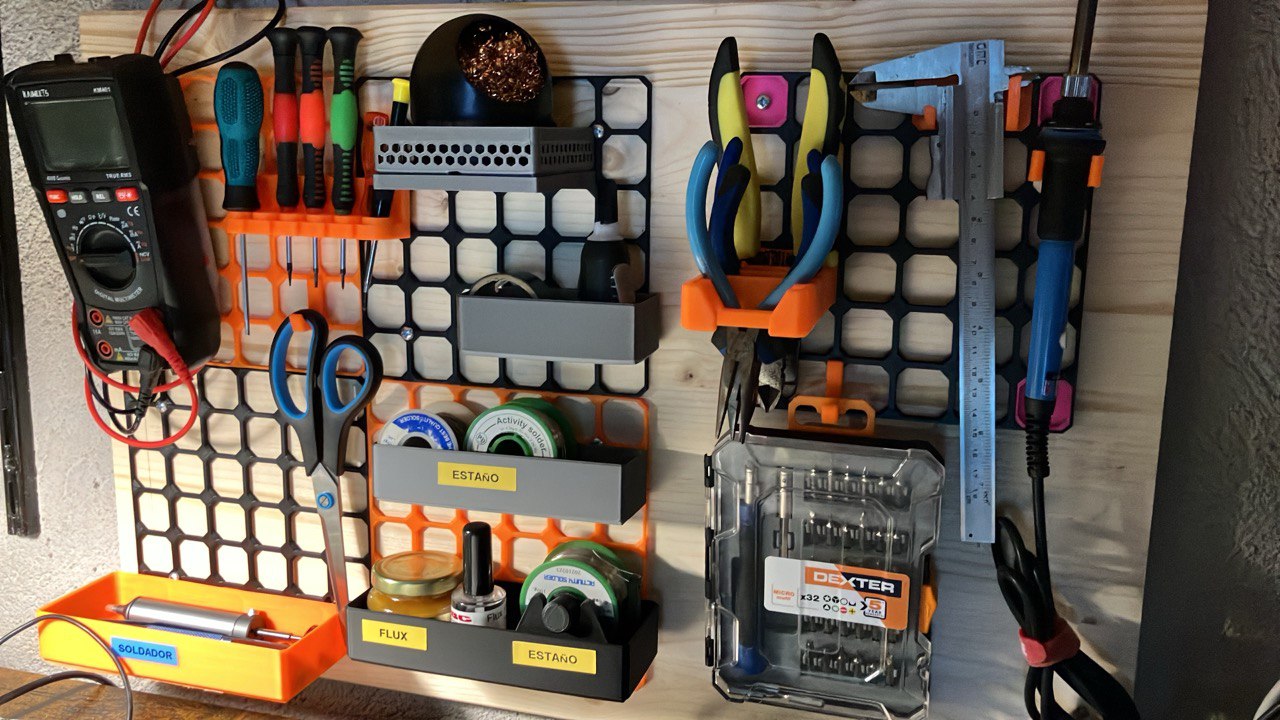
One of my happiest results so far has been a rack for my electronics-repair tools.
It started as a necessity-my screwdrivers, tweezers, and spudgers were spreading across the desk like small metallic weeds.

Rack for electronics-repair tools

I discovered OpenGrid, which is one of the many 3d modular systems out there (e.g. Gridfinity, Multiconnect, and Underware are other examples). It’s a bit more complex than the other systems, but it’s very flexible and can be used to create a lot of different things.

Designing and printing a custom rack forced me to measure, model, and think in three dimensions. The final result is now permanently installed on my bench, a small reminder that 3D printing can be much more than decorative trinkets.

Fun Prints: bringing ideas Into the house

It wasn’t all functional work. The printer also earned me some parental credibility:

  • A few toys for my kids, simple but surprisingly exciting for them.
  • A few little hooks for towels and other small items.
  • More little toys for family and friends.
  • Keyboard fidgets (WASD and arrow keys)
  • A Game Boy cartridge organizer.
  • A Game holder for for hanging into the OpenGrid system.
  • A custom case for my Flipper Zero Dev Board, which finally looks like a proper device instead of wires glued to a PCB.
  • And, for sporadic gaming sessions, a dice tower for Hero Quest, which now stands like a tiny fortress in the middle of the table.

Reflections after two months

What I enjoy the most isn’t the prints themselves, but the loop:
idea → model → slice → print → adjust → retry.

There’s a calm rhythm to it. The printer hums for hours, the house feels a bit like a workshop from an older era-mechanical, predictable, purposeful. Something is being built, something is being created.

Next step: PETG, more custom designs, and maybe a bigger project that combines electronics and printed parts? Who knows…

A prototype with LCD GFX and M5Stack keyboard

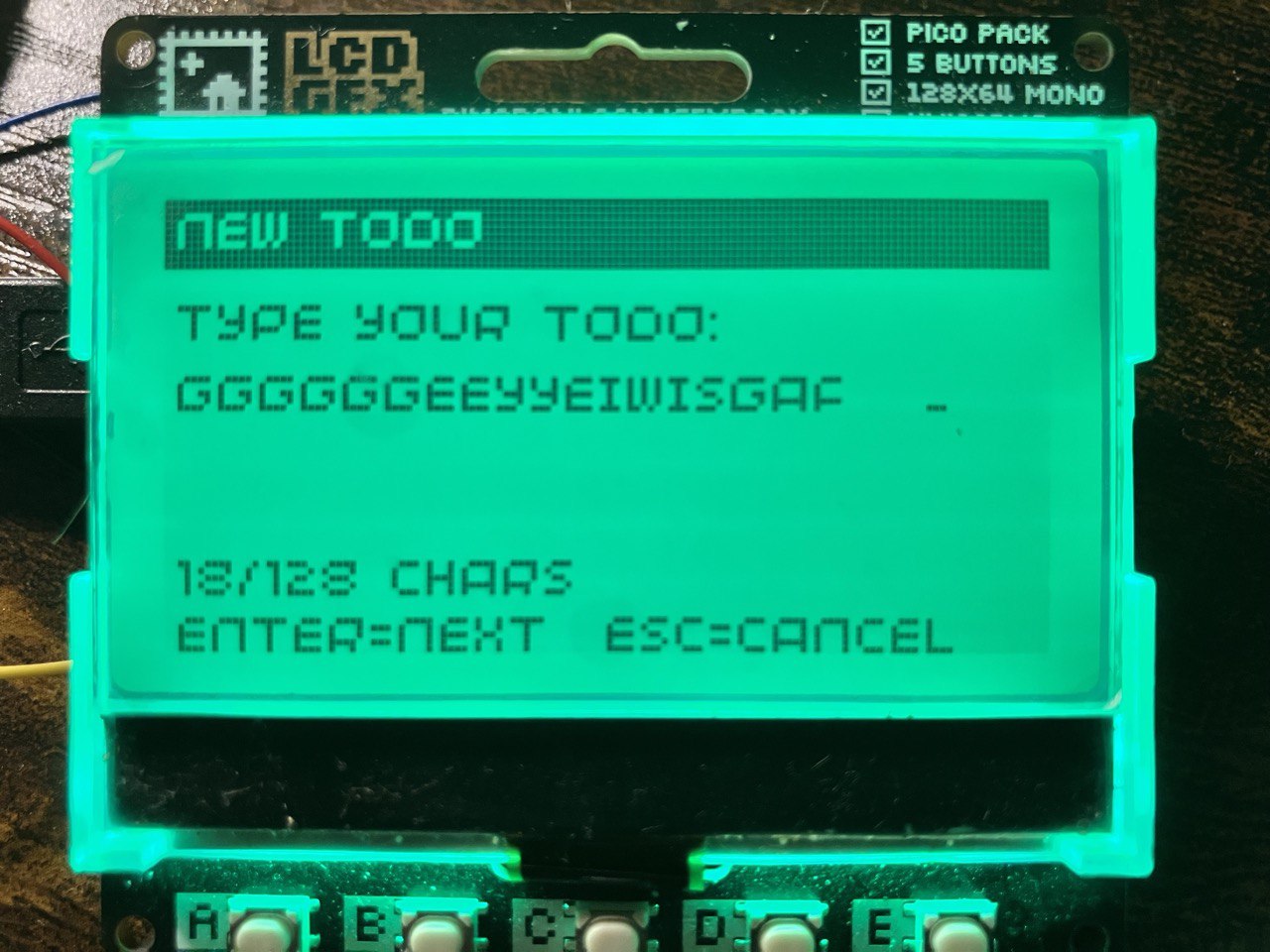
For the past few weeks, I’ve been working on one of my personal projects: a hybrid of hardware, firmware/software and UI design.A microcontroller-based device inspired by the aesthetic of 1980/90s gadgets.

GitHub repository

It is built using a Raspberry Pi Pico microcontroller paired with a Pimoroni “GFX Pack” display and a small I2C keyboard (CardKB) and programmed in MicroPython.

Prototype early design

The aim is to create a modular, icon-based menu system with multiple “apps” (clock, calendar, memos, todos, games, etc.) and persistent state, in a neat retro form-factor.

I’m still in the early stages of development, but I’m already able to create a simple menu system with a few apps. The 3D design is not yet finalized, but I’m happy with the progress so far. I’m learning Fusion 360 – Tinkercad was great at first, but I think Fusion 360 is a better fit for this kind of project.